
If you are a guardian for multiple students, you can quickly change the student you are viewing.
-
In the Home Access Center banner, click Change Student.
-
On the Choose Your Student pop-up, select the student to display.
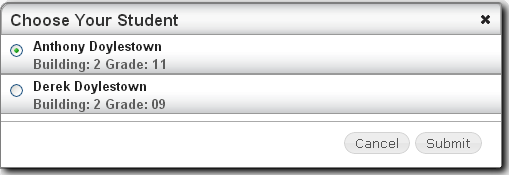
-
Click Submit.