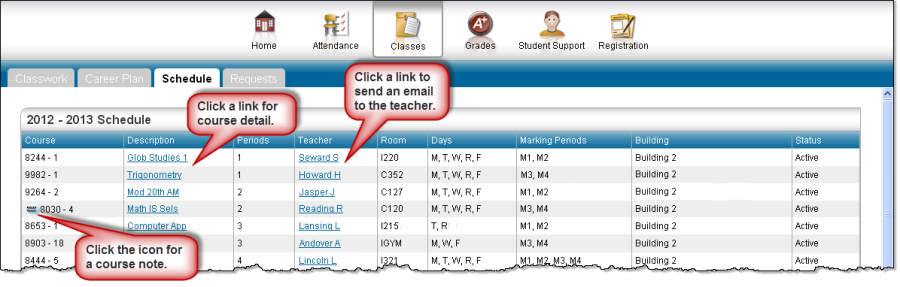
The Schedule page displays your student's schedule for the current school year. Classes that your student has dropped display at the bottom of the list with a Dropped status. This page also displays a list of the course requests for the next school year.
To display the Schedule page, click