
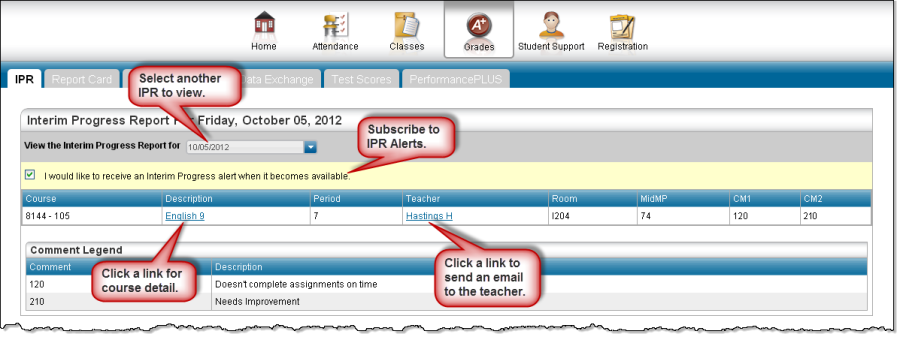
The Interim Progress Report page displays your student's most recent Interim Progress Report (IPR), if available. The report includes the student's courses and descriptions, class periods, teachers, rooms, interim progress marks, and comment codes. The legend at the bottom of the page provides a key to the comments entered for your student.
To display the Interim Progress Report page, click 
View IPR details
-
To view additional details on a course, click its description link to display the Home Access Course window.
View previous IPRs
-
To display an IPR from an earlier period, select the period in the View the Interim Progress Report for Reporting Period field. This field displays only if another IPR is available.
Subscribe to IPR alerts
-
To subscribe to IPR email alerts, check the "Alert me..." box above the course listing. The emails include courses, interim progress marks, teachers' names and comments, and other information from the student's IPR.